

Overview:
Links that have been defined in FrameworX can be used to link FrameworX objects to which the link is assigned to.
Configuration:
Step 1
A Link is added to a DataView Parameter or Action Parameter by adding a feature to the parameter.
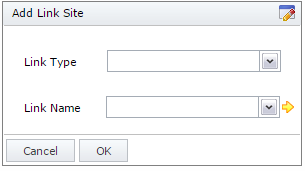
Link Type:
Select the type of link that you want to use
Link Name:
Select the link from the list of available links.
Step 2
Once the Link has been added to the Parameter, the Link Parameters (if any) need to be mapped or defaulted.
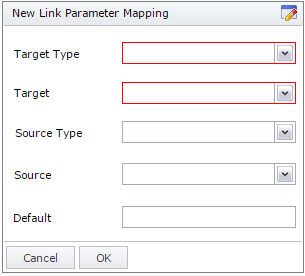
Target Type:
The name of the Link for which Link Parameters are being mapped.
Target:
The name of the Link Parameter being mapped or defaulted.
Source Type:
The source type of the object to which the Link Parameter will be mapped.
Source :
The source object to which the Link Parameter will be mapped.
Default:
The value to which the Link Parameter will be defaulted if no mapping is provided.
See also:
How To:
How to: Configuring and using a Link